
Know the Now
with a Stream-Style RSS Reader
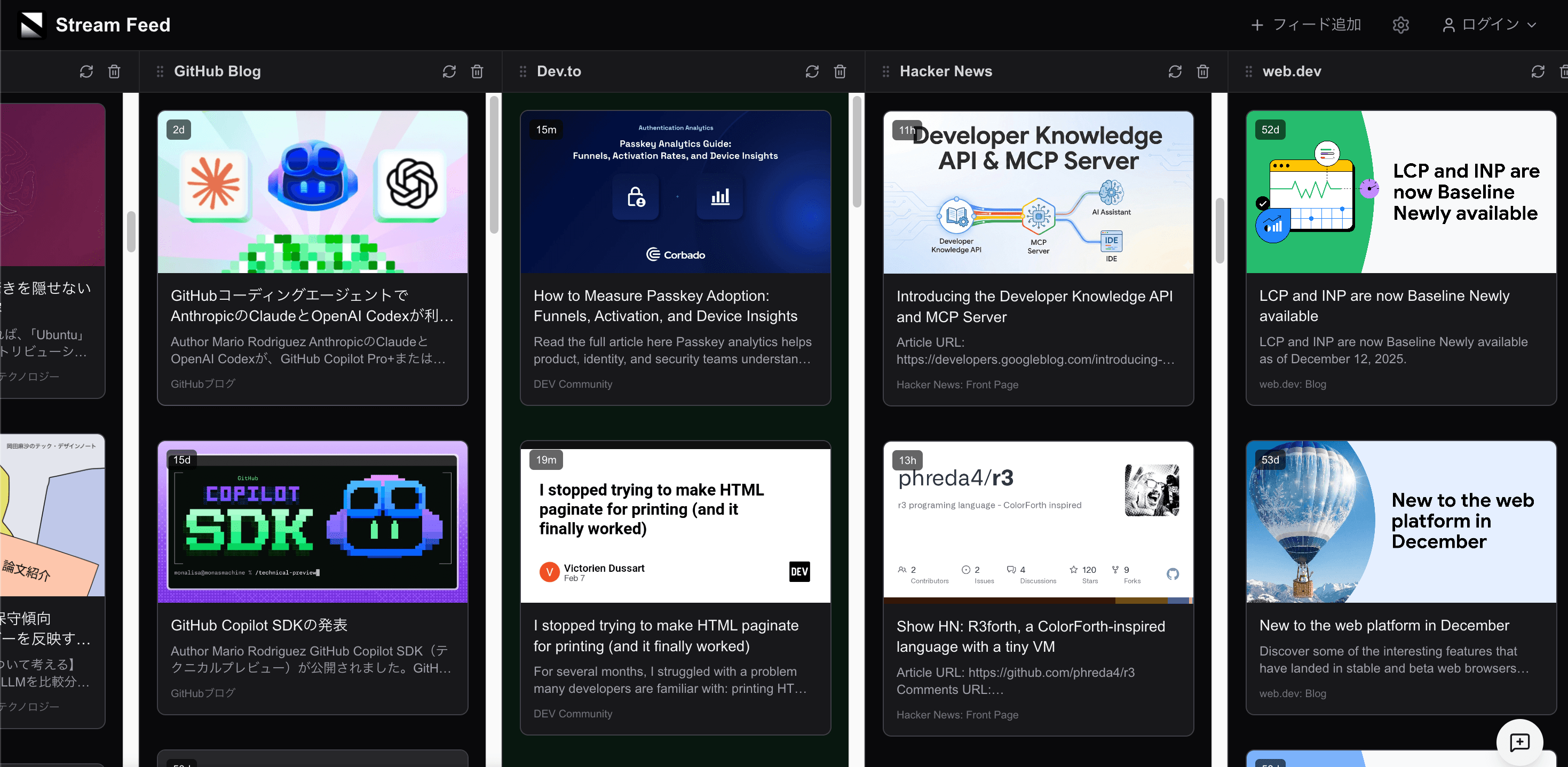
Tech, Business, Entertainment — Line up multiple feeds and catch up on the latest
Features
Streamlined information gathering for developers
Multi-Column Layout
Display multiple feeds side by side. A stream-style layout like TweetDeck to stay on top of the latest news.
Drag & Drop
Freely reorder columns with drag & drop. Create your perfect layout.
Curated Feed Presets
Add curated feeds like Hacker News, Dev.to, and Reddit with one click.
Read Later
Bookmark articles to read later. Sign in to sync across devices.
No Unread Stress
No unread counts or read management. Browse content casually, like a flowing stream.
Dark Mode
Built-in dark theme for comfortable extended reading sessions.
Supported Feed Sources
Easily add from presets. Custom RSS/Atom URLs are also supported.
Plus any RSS/Atom feed URL
FAQ
Everything you need to know
Yes, Stream Feed is completely free to use.
No, you can start using it immediately without signing up. Signing in enables Read Later and cloud sync for your feed settings.
Yes, you can add any RSS/Atom feed URL. You can also choose from curated presets.
Feed settings are stored in your browser's local storage. When signed in, they also sync to the cloud so you can access them from other devices.